Chapter 6. Refining Through Follow-up Conversation
Required Read this to follow this stage.One-line summary: AI's first answer is a draft, not a finished product. Refine it within the same chat, and if the conversation gets tangled, take a summary and move to a new chat.
How Much of a Conversation Does AI Remember?
It Remembers Within the Same Chat
AI reads everything you and it have said in the same chat window before replying. So if you say, "Shorten just the second paragraph of what you just wrote," it knows which text you mean.
Strictly speaking, AI does not "save" memories. Instead, every time it answers, it re-reads the entire conversation from the beginning. Remember the context window (the amount of text AI can read at once) from Chapter 1. AI can only refer to earlier messages while they still fit inside that window.
A conversation that goes back and forth multiple times like this is called a multi-turn conversation. One turn is you speaking once and AI answering once.
In a New Chat, It Starts Fresh by Default
When you open a new chat window, AI starts without knowing your previous conversations. Even if you spent a long time explaining your situation yesterday, you have to tell it again.
Some services have a memory feature that remembers parts of past conversations. Because how it works and how you set it up differ by service, we cover it in Stage 2 (the service-specific guides). In this chapter, assume that "a new chat starts from scratch."
Quick check
After a long chat with the AI yesterday, you opened a brand-new chat window today. Does the AI know what you talked about yesterday?
How to Ask for Revisions Well
When you do not like an answer, the most common mistake is saying this:
Not good. Rewrite it.AI does not know what you disliked. So it gives you another piece of writing at roughly the same level. When asking for revisions, include three things.
| Element | Question | Example |
|---|---|---|
| Where | Which part is the problem? | "The third sentence" "The conclusion" "The overall tone" |
| How | How do you want to change it? | "Shorter" "Add numbers" "Less stiff" |
| What to keep | What should stay the same? | "The first paragraph is good, so leave it as is" |
Putting all three together looks like this. Unlike "Not good," what to fix and what to keep are clear.
The overall flow is good. The third paragraph is too long, so shorten it to two sentences.
Keep "Thank you" in the last sentence as is, and keep the rest of the tone the way it is now.
Ready-to-Use Revision Phrases
| When this happens | Try saying this |
|---|---|
| Too long | "Keep only the main points and cut the length in half" |
| Too stiff | "Change the tone so it sounds like a friendly coworker talking to a newer teammate" |
| Too generic | "Remove anything anyone could say, and replace it with details specific to this situation" |
| Hard to understand | "Explain this part again with an example so a middle schooler could understand it" |
| Curious about the reasoning | "Give me three reasons why you think so" |
| Forgot the initial instructions | "Follow the rules I gave at the start again (under five sentences, polite tone)" |
When It Followed Your Words Literally, But the Result Is Useless — State Your Goal
You said, "Make it shorter," and it really got shorter. But the important points disappeared too. AI followed the exact words you said, but missed what you meant.
When this happens, repeating the same command more forcefully rarely fixes it. Instead, add why you want it that way.[1]
Weak example
Make it shorter. Really short.Better example
Make it shorter. My goal is for my busy team lead to read to the end
and remember the survey results in the second paragraph.
The difference is in the last line. Once AI knows your goal, it can choose what to keep and what to cut.
"In three lines" and "as a table" are shapes, while "helping the team trust this schedule" is a goal (Chapter 4, "The 5 Elements of a Good Prompt"). Before sending a request, ask yourself: did I only describe the shape, or did I also state the goal?
Quick check
You don't like the draft the AI wrote for you. When asking it to fix the text, what should you tell it?
Regenerate, Edit Your Question, or Follow Up — When to Use Which
Most services give you three ways to get a new answer. Button names and locations vary by service, so we show them with screenshots in Stage 2.
| Method | What it does | When to use it |
|---|---|---|
| Follow-up request | Asks AI to revise based on the current answer | When the direction is right and only parts need fixing |
| Regenerate | Gets another answer to the exact same question | When your question is fine, but the answer happened to be weak |
| Edit my question | Edits the question you sent and sends it again | When your original question was missing information |
Why do you get a different answer when you press Regenerate on the same question? As we saw in Chapter 1, when AI picks "the next words," it chooses by probability among the most likely candidates. That is why the same question produces a slightly different answer each time.
Before Pressing Regenerate — Pinpoint What Went Wrong
When an answer looks off, it is tempting to press Regenerate right away. First, pause and identify what kind of failure it is. Knowing the type of failure takes you straight to the right fix.[2]
- Names, numbers, or sources look plausible but suspicious → Check them against the original source (Chapter 9).
- It forgot your initial rules in a long chat → Remind it of the rules. For example: "Follow the rules I gave at the start again (five sentences or fewer, polite tone)." If that doesn't work, take a handoff note and move to a new chat (see "When to Start a New Chat" below).
- The math is wrong → Some services let the AI run a small program (code) itself to do calculations. If yours does, try saying "Run this calculation in code and check it." If it doesn't, check it yourself with a calculator.
- It agrees with everything you say → Tell it that pushing back is welcome. For example: "If anything in my thinking is wrong, feel free to disagree. Point out the weakest parts first" (Chapter 1).
If it's none of these four, that's when to press Regenerate.
Quick check
Your question was well written, but the answer just happened to turn out poorly this one time. What is the best thing to do?
When to Start a New Chat
Keeping one conversation going for too long can actually make the answers worse. Everything you talked about earlier keeps influencing the new replies. For example, if you spend a long time writing promotional copy for a shop and then ask for a resume in the same chat, a promotional tone can bleed into your resume.
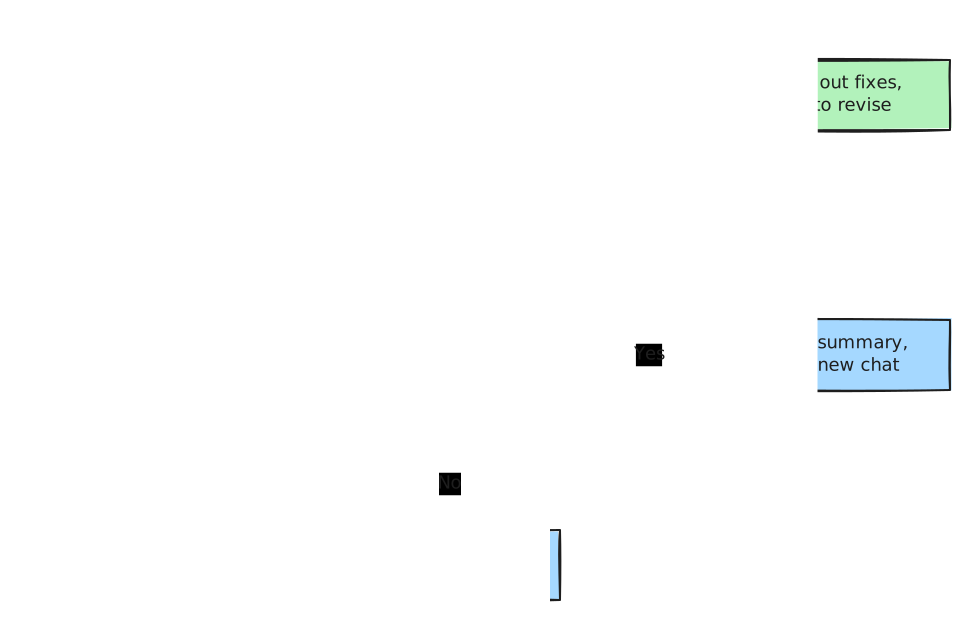
Start a new chat when you see any of these signs:
- The topic changed — Moving from planning a trip to writing a work report
- It starts forgetting your initial instructions — Repeatedly breaking the tone or length you set at the start
- It repeats the same mistake — Giving similar errors even after you ask it to fix them
- The chat has gotten very long — Having to scroll up a long way to see the beginning
Quick check
In which of the following cases is it fine to stay in the current chat instead of starting a new one?
How to Move to a New Chat — Summary Handoff
Starting a new chat does not mean throwing away everything you have decided so far. Ask for a summary in the current chat and paste it into the new one. It works just like a handoff memo when someone new takes over a task at work.
In the current chat
I want to continue this work in a new chat. Write a handoff note using the items below.
- Goal: What we are making
- Decided: Details and rules we have settled on so far
- My preferences: What I liked and what I disliked
- Next steps: What needs to be done next
In the new chat
Below is a handoff note from a previous chat. Based on this, please continue starting from the first item under "Next steps."

---
[Paste handoff note here]
---
Wrap the note with the delimiters (---) from Chapter 5. That way, AI will not confuse the note with your new request.
Quick check
Your chat has gotten too long, so you want to move to a new chat. How can you keep the decisions you've made so far?
Save Prompts That Worked Well
When you refine a request several times and get a great result, do not throw it away—save it in a notes app. Next time a similar task comes up, you can just swap out the blanks and reuse it.
[For weekly report summaries]
Below are my work notes from this week. Organize them into a weekly report for my team lead.
Make a three-column table with "Done / In Progress / Next Week's Plan," and write one line per item.

---
[This week's notes]
---
A reusable request with blanks left to fill in like this is called a prompt template. Some services let you save instructions like these and apply them automatically every time. We cover this in Stage 2 as well.
Quick check
Your request to organize your weekly report worked really well. What is the best way to reuse it easily next week?
Try It Yourself
- In a new chat, ask only: "Recommend a place for our team dinner next Friday."
- Using the 3 revision elements (where, how, what to keep), ask AI to revise the answer twice.
- Ask for a handoff note, paste it into a new chat, and continue with: "Write a reservation inquiry text message using these conditions."
Look at the answer in the new chat and ask yourself: did it keep the conditions you set earlier, such as group size, budget, and neighborhood?
Summary
- Within the same chat, AI reads earlier messages together, but a new chat starts from scratch.
- When asking for revisions, state "where, how, and what to keep."
- When the topic changes or AI starts forgetting initial instructions, get a handoff note and move to a new chat.
- Save requests that worked well as templates to reuse later.
Glossary
| Term | One-line meaning |
|---|---|
| Multi-turn | A conversation that goes back and forth multiple times |
| Turn | One exchange where you ask once and AI answers once |
| Context Window | The amount of text AI can read at once (Chapter 1) |
| Memory | A service feature that remembers parts of past conversations |
| Regenerate | Getting a different answer to the same question |
| Prompt Template | A reusable request format where you only swap out the blanks |
Finished this chapter?
Progress is saved only in this browser. See your progress on the full table of contents.
Next chapter: Chapter 7. Structured Prompts — Markdown and XML Tags
References (2)
Claude Academy course "AI capabilities and limitations," lesson "Steerability." "When an instruction is followed literally but uselessly, restate the goal." / "Repeating the instruction with more force won't close the gap." / "Make this shorter. My goal is to keep the executive's attention through the key finding on page two." academy.claude.com (checked on 2026-10-26) ↩︎
Claude Academy course "AI capabilities and limitations," lesson "When Properties Collide." "Naming the properties at play points you straight to the fix: verify specifics, re-supply context, offload to code execution, or invite pushback." academy.claude.com (checked on 2026-10-26) ↩︎